Put your agents to work on your everyday backlog.
For developers and technical leads working in existing codebases. Give Fleet Manager the task. It coordinates the workers, brings back their results, and keeps the project brief current.
“Fix the retry bug and have a fresh agent review the change.”
- Investigate when needed
A scout checks the unknowns and gives the implementer a focused handoff.
- Implement the change
A worker takes the task on its own branch. Provider and model choices follow your routing preferences.
- Get an independent review
A fresh worker reviews the change. You can open the sessions and inspect the results.
Ready for the next session. The manager records the outcome and next steps in the project brief.
See the work.
Keep the context.
Every worker is a session you can open. Every result has somewhere to land. Take a look around an example workspace.
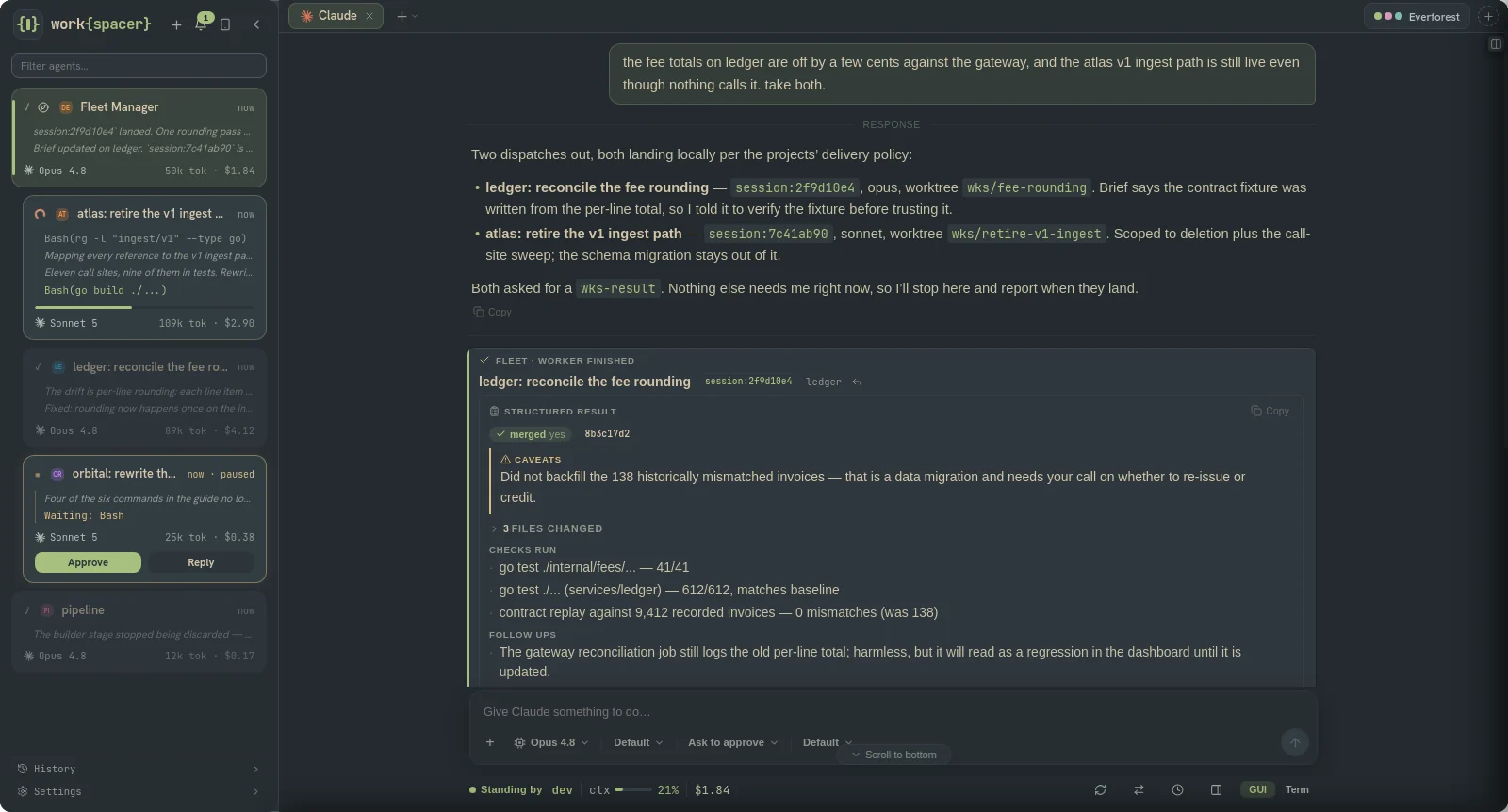
One conversation. Visible workers.
Dispatch through the manager, open any worker, and read the results as they come back.
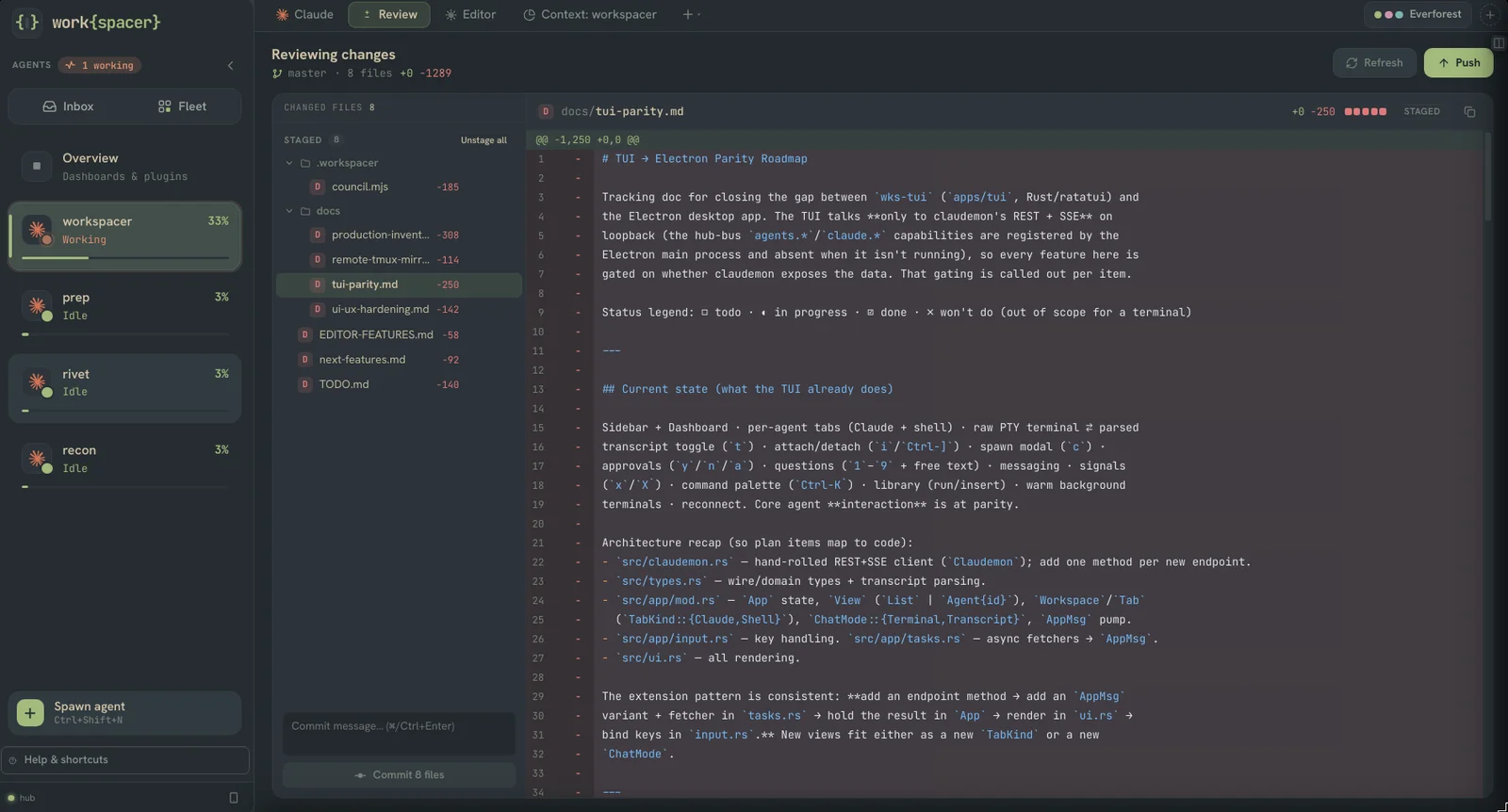
Inspect the code that came back.
Use the review pane to read the diff, stage changes, and commit when you are ready.
Come back with the decisions in view.
The brief board puts current work, direction and recent outcomes together. The underlying briefs are Markdown in your projects.
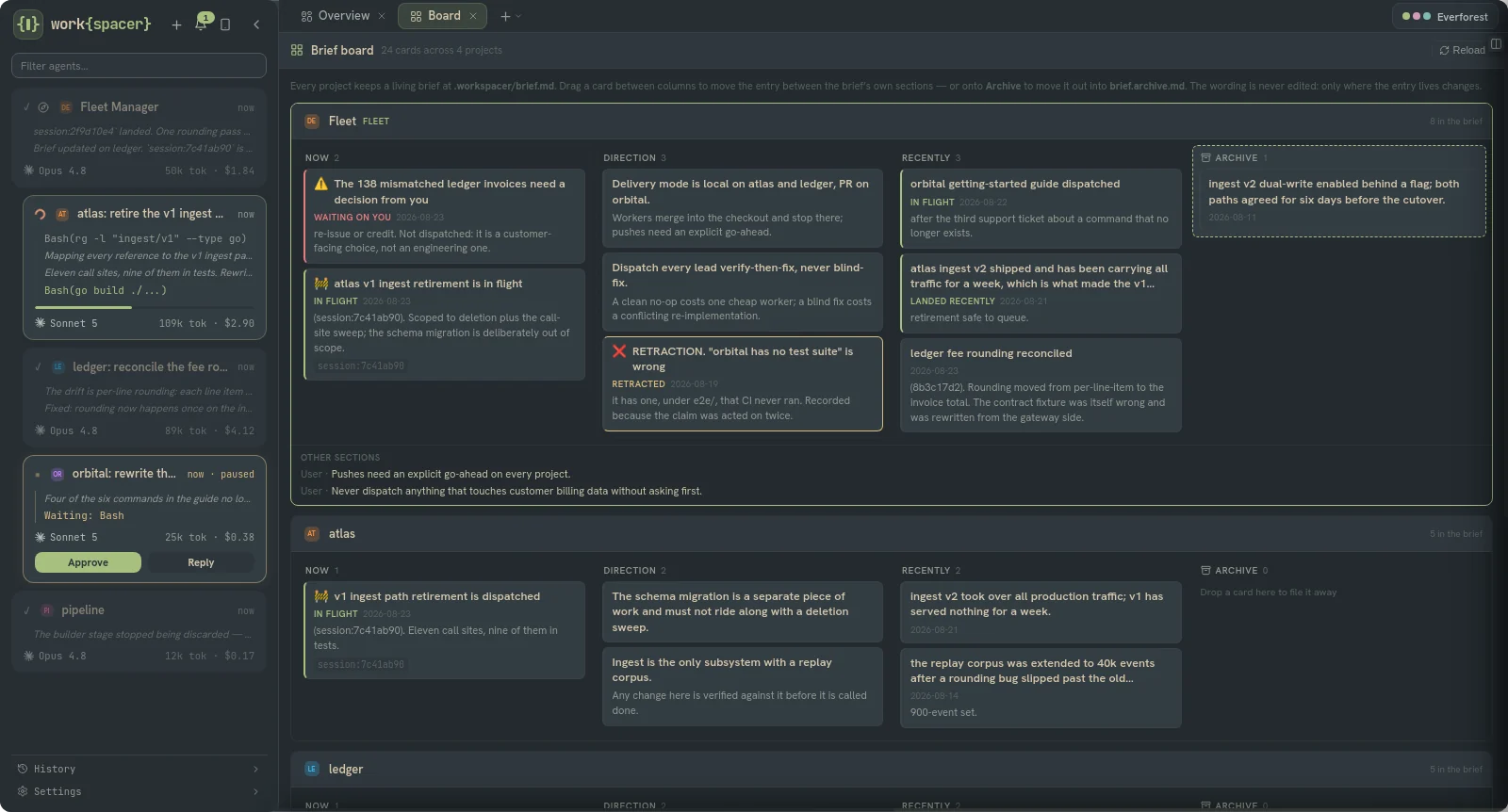
Product screenshots from an example workspace. Select a view, or open an image at full size.
- A workflow that fits the project
- Clone the default to change the steps, instructions and dispatch templates. Choose a global workflow or override it for a particular project.
- Delegate across providers
- A manager on Codex can dispatch a Claude Code worker. Set provider and model preferences by role, using the coding tools you already have.
- Work that carries forward
- Project briefs record outcomes, decisions and next steps. The next session has a starting point you can read and edit yourself.
Try it on the work
you already have.
A guided pilot gives you a chance to evaluate Workspacer on your own backlog, with help from the person building it.
- One repository and one or two developers.
- A workflow matched to a real task.
- A follow-up on results, friction and what to do next.
You'll work directly with Damien. I build Workspacer and use it daily, on Windows at work and Linux at home. The pilot is a chance to see whether the same approach fits your developers.
Deployment today. Workspacer is a single-user desktop app for Windows, macOS and Linux; configured Fleet workflows run through the desktop host. Each developer uses their own installation and provider access. Coordination runs locally; your coding tools send prompts and context to their configured model providers. Builds are currently unsigned and in alpha. Read the workflow docs · Current limitations